Send
Close Add comments:
(status displays here)
Got it! This site "creationpie.org" uses cookies. You consent to this by clicking on "Got it!" or by continuing to use this website. Note: This appears on each machine/browser from which this site is accessed.
The rmsTest Android app
1. Android app for personal use
The rmsTest Android application is here described. It was started in 2013 and is currently only for my personal use as in includes downloads of Bible and ancient texts (for personal use) from the following sites (and others)
http://www.crosswire.org (CrossWire Bible Society)
http://perseus.tufts.edu (Perseus Digital Library)
About 30 languages have been used. Many data sets require extensive character encoding fixes before they can be displayed and searched without issues.
This documentation was created in March 2018 with minor adjustments from time to time.
The rmsTest Android app is comprised of the following (as of 2019).
76 source/class files
15,000 lines (not blank, not comments)
Note: There are many other programs (e.g., Python, Lua, etc.) that are used as part of the system.
The documentation on how to use any real system is huge. You will never learn it all. You need to be able to pick out the parts you need, when you need them, and use those parts.
2. Other personal Android apps
Other personal apps, mostly for research purposes, are for
audio vocabulary learning of foreign languages and
slide presentations using static graphics.
image handling, scaling, display, etc.
thumbnail image grids
multimedia control handling
audio handling, playing, service, etc.
3. Research applications
Here are some research interests and applications.
Fast corpus representation and searching across multiple languages
Syntax and grammar inference of various languages
Changes of languages over time
Similarities and differences between documents that are almost the same (e.g., using recursive LCS, etc.)
Topic modeling (e.g., LSI, LDA, etc.) of documents
Machine learning translation and comparisons (e.g., using Google software, etc.)
4. High level structure
The following is the high-level structure.
A corpus is a collection of books (e.g., of a Bible, of an ancient Author, etc.).
A book contains chapters.
A chapter contains verses (sentences, paragraphs, etc.)
A verse contains text in one of many languages.
5. Bibles tab
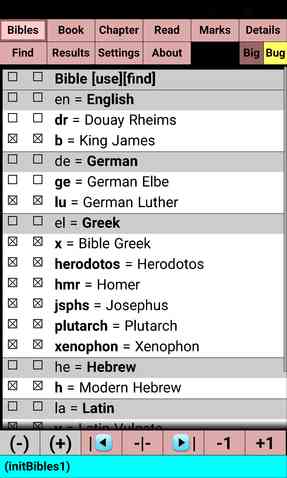
The "
Bibles" or "
Corpus" tab allows one to select the desired corpus of documents.
6. Book tab
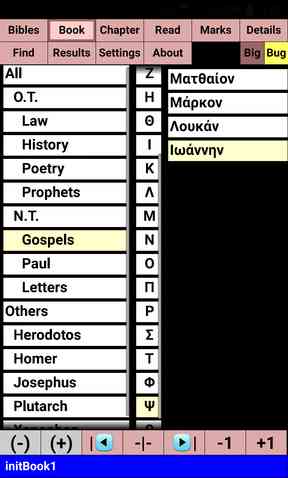
The "
Book" tab allows one to select the desired book of the corpus set selected.
7. Chapter tab
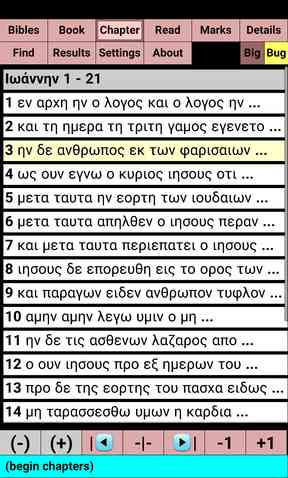
The "
Chapters" tab allows one to select the chapter.
The beginning of each verse is displayed in the selected language as that can help one locate the desired chapter.
8. Read tab
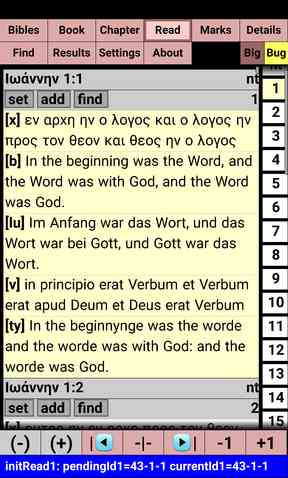
The "
Read" tab allows one to view/read the selected chapter. Previous state of book, chapter, verse is saved in sparse representation.
9. Marks tab
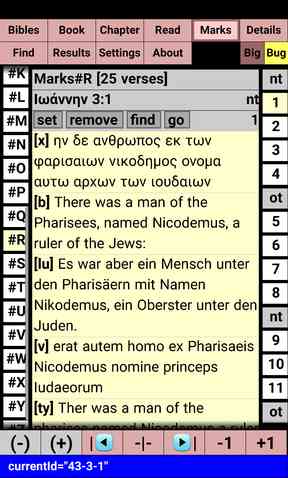
The "
Marks" tab allows one to keep lists of related verses.
10. Results tab
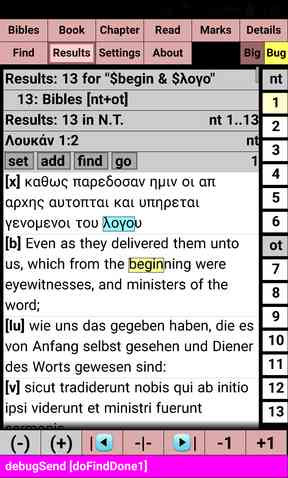
The "
Results" tab displays the results in the same form as the "
Read" and "
Marks" tabs.
11. Find tab
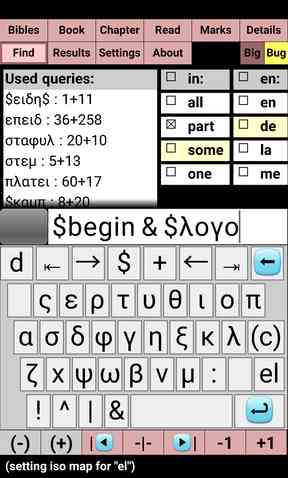
The "
Find" tab allows one to search the selected Bibles/Documents.
The search can be across multiple languages, uses mapped character sets, a fast search for finding the results and a slower search of those results for formatting purposes.
12. Settings tab
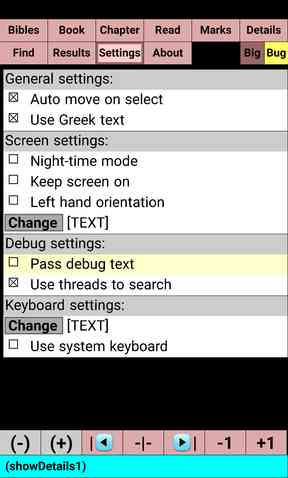
The "
Settings" tab allows some app settings to be customized.
13. About tab
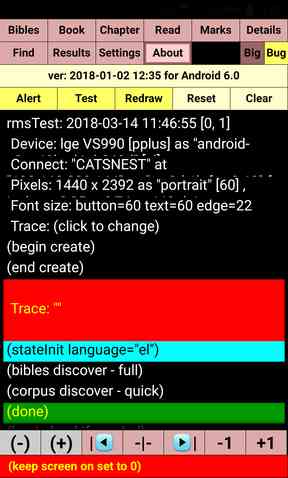
The "
About" tab shows some device information and status debugging information for development purposes. Some additional buttons are used for testing purposes.
14. End of page